
7 Best Security Questionnaire Automation Software (2026)
April 20, 2026
By
Evie Secilmis

Quick verdict: After evaluating 7 platforms, Iris is our top pick for B2B sales teams that need to respond to security questionnaires without pulling security engineers off real work. It's the only platform built around a living knowledge ledger that keeps responses accurate across RFPs, DDQs, and security reviews simultaneously — and it consistently outperforms purpose-built security tools when the goal is closing deals faster.
Best Security Questionnaire Software at a Glance (2026)
- #1 Iris — Best overall for sales-driven teams; unified RFP, DDQ, and security questionnaire workflows in one knowledge ledger
- #2 Vanta — Best for compliance-first organizations already using Vanta for SOC 2
- #3 Conveyor — Best for proactive trust center and self-serve security documentation
- #4 Drata — Best for continuous compliance automation with questionnaire add-on
- #5 SafeBase — Best for detailed evidence attachment and technical security documentation
- #6 Responsive — Best for enterprises managing high volumes of RFPs and questionnaires
- #7 Loopio — Best for teams already using Loopio for RFP response management
Your security team just received three vendor questionnaires—200 questions each—and your biggest deal of the quarter hangs in the balance. Your CISO is underwater with compliance audits, your security architect is out sick, and the prospect expects responses within five business days.
This frantic scramble is a painful, recurring nightmare for many teams. It doesn't have to be. The best security questionnaire automation software transforms this process from a chaotic fire drill into a strategic advantage. We've reviewed the best-rated tools to help you build a centralized knowledge base and respond to any inquiry with speed and confidence.
Security questionnaire software uses AI to automate responses to vendor security assessments, pulling answers from your centralized knowledge base instead of requiring manual input from subject matter experts. This guide examines the leading platforms, their core capabilities, and how to choose the right solution for your team's specific needs.
What is Security Questionnaire Automation?
Security questionnaires are standardized forms that potential customers send to vendors before signing contracts. These documents—sometimes called vendor security assessments or VSAs—typically contain 50 to 500+ questions about your data encryption methods, access controls, incident response procedures, and compliance certifications. The traditional approach meant hunting down your CISO for answers, copying responses from old Excel files, and spending anywhere from a few days to several weeks completing a single questionnaire.
Automation changes this entirely. Modern platforms use AI to read each question, understand what it's actually asking, and pull the right answer from your company's knowledge base. Instead of your security team answering the same questions repeatedly across dozens of deals, the software handles the initial response while experts focus on reviewing and refining. This isn't just about saving time—it's about transforming how your security team supports sales without burning out.
Are Security Questionnaires Stalling Your Deals?
Here's what typically happens: a prospect sends a security questionnaire, your sales rep forwards it to the security team, and then... crickets. Your CISO is juggling five other priorities, your security architect is on vacation, and the questionnaire sits untouched for two weeks while your competitor closes the deal.
This bottleneck gets worse during quarter-end when multiple prospects send questionnaires simultaneously and your small security team simply can't keep up, with 88% of organizations taking over two weeks to assess vendors using manual methods.
The consistency problem creates even bigger headaches. When different people answer similar questions across various deals, the responses often contradict each other. One person writes that you encrypt data with AES-256, another mentions AES-128, and suddenly your prospect is wondering which answer is correct. These inconsistencies don't just slow things down—they damage trust and raise red flags about your actual security practices, particularly concerning given that 61% of companies experienced a data breach caused by one of their vendors or third parties.
Then there's the knowledge transfer issue. When your senior security engineer leaves, all their expertise about your infrastructure walks out the door with them. New team members spend months learning the answers to common questions, often making educated guesses that may or may not be accurate. Automation captures this institutional knowledge in a searchable format that survives personnel changes and makes onboarding dramatically faster.
The Benefits of Automation by the Numbers
The shift from manual to automated questionnaires isn't just a minor tweak—it's a complete operational overhaul with tangible results.
Instead of taking weeks, teams using automation report spending 60-85% less time on these documents, freeing up security experts to focus on actual security. This efficiency gain means you can complete security reviews 81% faster, removing a common bottleneck that stalls deals.
More importantly, automation introduces a level of consistency that manual processes can't match. AI-powered tools reduce mistakes by pulling approved answers from a central knowledge base, ensuring every prospect receives accurate and consistent information. This reliability is fundamental to building trust with potential customers and demonstrating a mature security program from the very first interaction.
What to Look For in Security Questionnaire Software
Not all security questionnaire platforms deliver the same results, and the gap between basic tools and enterprise solutions can mean the difference between modest improvements and genuine transformation. Here's what actually matters when you're evaluating options.
AI-Powered Answer Suggestions
The AI engine drives everything, but implementation quality varies wildly between vendors. Look for natural language processing that recognizes when "Do you encrypt data in transit?" and "How do you protect data during transmission?" are asking the same question. The best platforms learn your company's specific terminology and technical architecture, generating responses that sound like they came from your team rather than a generic template.
Contextual AI and Specialized Models
A general-purpose AI can write a clever tweet, but you wouldn't trust it with your SOC 2 compliance. For security questionnaires, you need a specialized model trained on thousands of technical assessments and compliance documents. This is what we mean by contextual AI—it understands the intent behind a question, not just the keywords. It recognizes that "How do you protect data during transmission?" and "Do you encrypt data in transit?" are asking the same thing, even though the words are different.
A Centralized Knowledge Library
Your knowledge base serves as the single source of truth for all security information, policies, certifications, and technical details. This isn't just a filing system—it's a living document that updates when you renew a certification or change a security control. When your SOC 2 Type II report gets updated, every questionnaire response that references it reflects the new information immediately.
Evidence Management and Audit Trails
Beyond just storing answers, a strong knowledge library includes evidence management. This means you can link every response directly to its supporting documentation—like your SOC 2 report, penetration test results, or data privacy policy. When a prospect or auditor asks for proof, it's already attached, which makes the verification process much smoother.
Import Any Questionnaire Format
Prospects send questionnaires through dozens of channels. Some use vendor portals like OneTrust or Whistic, others email Excel spreadsheets, and some prefer Word documents or PDFs. Your platform handles all these formats without forcing you into tedious copy-paste workflows. Native portal integrations mean you respond directly within the customer's preferred system, while intelligent file parsing extracts questions from uploaded documents regardless of format.
Streamlined Approval Workflows
Enterprise security requires multiple stakeholders to review responses before they reach prospects. Your platform supports multi-stage approval workflows where technical answers route to security architects, compliance questions go to your GRC team, and final approval sits with your CISO. Automated notifications keep everyone informed of pending reviews, and deadline tracking prevents things from falling through the cracks.
Enterprise-Grade Security You Can Trust
Here's an irony worth noting: prospects use security questionnaires to vet your security, but they'll also scrutinize the security of your questionnaire platform itself. Look for vendors with SOC 2 Type II reports, ISO 27001 certification, and GDPR compliance documentation. Data encryption (both at rest and in transit), role-based access controls, and data residency options address the most common concerns.
Which Compliance Frameworks Are Supported?
Industry-standard questionnaire frameworks save everyone time by creating common formats that vendors can prepare for in advance. Rather than treating every questionnaire as unique, platforms that support standard frameworks can auto-populate responses based on pre-mapped question libraries.
SIG
The Standardized Information Gathering (SIG) questionnaire, maintained by the Shared Assessments Program, has become the de facto standard for vendor risk assessments. SIG organizes questions into logical categories—information security policies, asset management, human resources security, physical security, and more—making it easier to route questions to the right experts.
CAIQ
The Cloud Security Alliance's Consensus Assessments Initiative Questionnaire (CAIQ) focuses specifically on cloud service providers and cloud security controls. If your company offers SaaS products or cloud-based services, you'll encounter CAIQ frequently. The questionnaire maps directly to the CSA Cloud Controls Matrix (CCM), which aligns with other major frameworks like ISO 27001 and NIST.
CIS
The Center for Internet Security (CIS) Controls provide a prioritized set of cybersecurity best practices. While CIS doesn't publish a standard questionnaire format, many prospects structure their security assessments around CIS Controls, asking vendors to demonstrate compliance with specific safeguards.
Support for Custom Frameworks
Despite the push toward standardization, you'll still encounter plenty of proprietary questionnaire formats—with 46% of organizations sending multiple questionnaires from different risk domains rather than one centralized assessment. The best platforms let you create custom mappings between your knowledge base and any questionnaire structure.
Comparing the 7 Best Security Questionnaire Automation Platforms
The security questionnaire automation market has expanded rapidly. Each platform brings different strengths, and the right choice depends on your team's specific needs and existing tech stack.
#1 Iris — Best Overall for Sales Teams
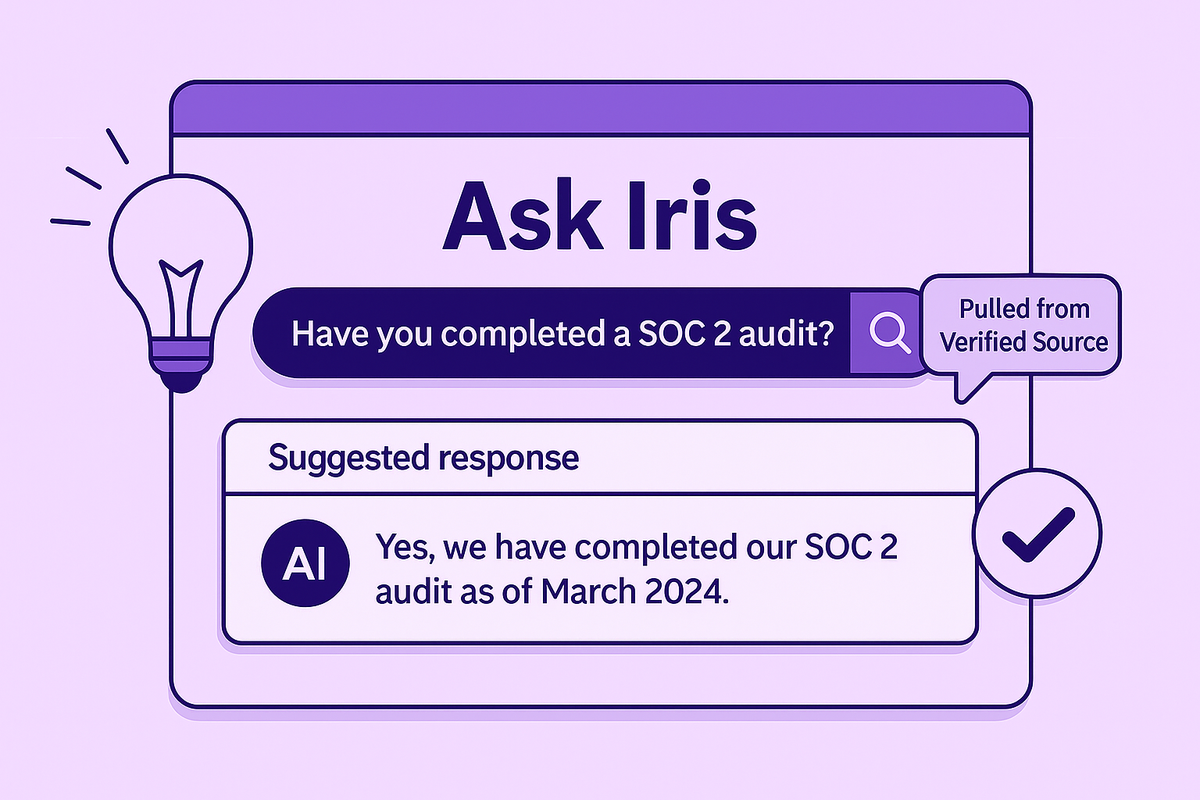
Iris is the top pick for B2B sales teams that respond to RFPs, DDQs, and security questionnaires simultaneously. Unlike tools built solely around compliance, Iris takes a knowledge ledger approach—treating your institutional knowledge as a living, connected system rather than a static database. The AI engine generates responses in minutes, and when information updates in one place (say, a new SOC 2 certification), it automatically updates everywhere it's referenced. This prevents the inconsistency problem that kills deals. The platform excels at cross-functional collaboration, bringing together sales, legal, and security teams in a unified workspace. If your security questionnaire bottleneck is really a sales velocity problem, Iris solves it directly.
#2 Vanta — Best for Compliance-First Teams
Vanta built its reputation as a compliance automation platform and extended that expertise into security questionnaires. The platform works well for organizations that prioritize audit trails and regulatory requirements, offering deep integration with compliance frameworks and automated evidence collection. If your team already uses Vanta for SOC 2 or ISO 27001 compliance, adding questionnaire automation creates a seamless workflow.
#3 Conveyor — Best for Trust Center Approach
Conveyor approaches questionnaires from a trust center perspective, emphasizing customer-facing portals where prospects can self-serve security information. This proactive approach reduces questionnaire volume by publishing answers to common questions publicly. The platform works well for companies that want to build transparency into their security program.
#4 Drata — Best for Continuous Compliance
Drata follows a similar path to Vanta, starting as a compliance automation platform and expanding into questionnaires. The platform automatically collects evidence from your infrastructure and maps it to questionnaire responses, reducing manual work for technical teams. Drata makes the most sense for organizations already using it for broader compliance management.
#5 SafeBase — Best for Technical Documentation
SafeBase focuses specifically on security documentation and questionnaire automation, with strong capabilities around evidence attachment and technical security implementations. The platform excels at handling complex technical questions that require detailed infrastructure documentation.
#6 Responsive (formerly RFPIO) — Best for Enterprise Volume
Responsive is a comprehensive, enterprise-wide platform designed to manage a wide array of response documents, including RFPs, RFIs, and security questionnaires. It's a good fit for large organizations that need a single, powerful system to handle all proposal-related tasks. Key features include a tightly controlled content library with user permissions, a browser extension for filling out online forms, and AI-powered answer suggestions.
#7 Loopio — Best for Existing Loopio Users
Loopio established itself as a comprehensive RFP response platform before adding security questionnaire capabilities. The platform offers robust workflow management, content libraries, and collaboration tools that work across all types of proposal documents. While Loopio handles security questionnaires competently, it's less specialized than purpose-built security tools.
How to Choose the Right Platform for Your Team
Selecting questionnaire software feels overwhelming when every vendor claims to save you "80% of response time." Cut through the marketing noise by following a structured evaluation process that prioritizes your actual needs over feature checklists.
Get Your Team on the Same Page
Your security team cares about accuracy and compliance, sales wants speed and ease of use, and legal worries about approval workflows and liability. Bring representatives from each group together early to identify non-negotiable requirements and nice-to-have features. Create a weighted scoring system where critical capabilities get higher scores—if portal integrations matter more than custom reporting, reflect that in your evaluation.
Evaluate Key Features and Integrations
Build a spreadsheet comparing how each platform handles your top requirements: AI accuracy, supported questionnaire formats, portal compatibility, approval workflows, and integrations with your existing tools. Pay special attention to how platforms connect with your CRM (Salesforce, HubSpot), document storage (SharePoint, Google Drive), and compliance tools. Test integrations during demos rather than taking vendor claims at face value.
Distinguish Between RFP and Specialized Security Software
As you evaluate options, you'll find that some platforms focus only on security questionnaires while others, like Iris, handle a wider range of sales documents. Specialized security tools are built for compliance, evidence management, and technical controls. General RFP tools are designed around sales proposals, pricing, and commercial terms. If your challenge is maintaining consistency across RFPs, SOWs, and security reviews, a unified platform like Iris prevents critical knowledge from getting siloed in separate systems.
Bring a Real-World Example to Your Demo
Don't settle for a generic product tour. Before a demo, find the most complex, poorly formatted security questionnaire you've received recently and send it to the sales rep. Ask them to use that for the demo. This forces them to move beyond canned examples and show you how their AI actually parses questions and suggests answers from your knowledge base.
Run a Pilot Program to Test AI Accuracy
AI quality varies dramatically between platforms, and you can't evaluate it from a demo alone. Request a pilot where you upload 5-10 of your most challenging recent questionnaires and let the platform generate responses. Compare the AI-generated answers against your approved responses, noting how often the AI gets it right and how much editing is required.
Understand the Total Cost of Ownership
Subscription fees are just the starting point. Factor in implementation costs (data migration, knowledge base setup, integration configuration), training time for your team, and ongoing maintenance. Some vendors charge extra for portal integrations, premium support, or advanced AI features.
Setting Up Your Software for Success
Once you've chosen your platform, the real work begins. A successful rollout isn't about flipping a switch; it's about building a solid operational foundation.
Build a Strong Content Foundation
Your automation software is only as smart as the information you give it. Create a comprehensive knowledge base that serves as the single source of truth for all security policies, technical specifications, and compliance details. When you renew a certification or update a security control, your knowledge base should reflect that change immediately.
Define Clear Roles and Workflows
Security questionnaires are a team sport, often requiring input from security, legal, sales, and compliance. Define clear roles and approval workflows directly within the platform. Your system should support multi-stage approvals where technical questions automatically route to security architects while compliance items go to your GRC team.
Integrate with Your Existing Tech Stack
The most effective security questionnaire platforms integrate seamlessly with the tools your team already uses. Pay close attention to how the software connects with your CRM, like Salesforce or HubSpot, and your document storage systems, such as SharePoint or Google Drive. When evaluating options, ask vendors to demonstrate the actual data flow for their key platform integrations rather than just showing you a slide with logos.
Common Implementation Mistakes to Avoid
Even great platforms fail to deliver value when implementation goes wrong. The good news? All of these missteps are avoidable if you know what to watch for.
Starting with an Unorganized Knowledge Base
Launching with outdated, inconsistent, or incomplete answers creates problems that compound over time. Before implementation, audit your existing responses for accuracy, standardize language across similar answers, and fill gaps in your coverage.
Making Workflows Overly Complicated
Complex approval processes feel thorough but slow everything down and confuse users. Start with simple workflows—maybe just two approval stages—and add complexity only when you've identified specific gaps.
Forgetting to Test Your Integrations
Portal connectivity issues surface during critical deals when you're under deadline pressure. Before going live, thoroughly test every portal integration you'll use—OneTrust, Whistic, SecurityScorecard, and any custom prospect portals.
Ready to Build Trust and Close Deals Faster?
Security questionnaires don't have to be the bottleneck that slows your sales cycle and frustrates your security team. Iris transforms questionnaire responses from a weeks-long ordeal into a streamlined process that takes minutes, not days. The AI knowledge ledger approach means your responses stay accurate and consistent across every deal, while cross-functional collaboration features keep sales, security, and legal teams aligned. Schedule a demo to see how Iris transforms your questionnaire process.
FAQs About Security Questionnaire Software
How secure is the AI that stores my company's sensitive answers?
Leading platforms use enterprise-grade encryption, SOC 2 compliance, and role-based access controls to protect sensitive information. Most offer data residency options and detailed security documentation for your vendor approval process.
Can the software attach live evidence to each answer automatically?
Advanced platforms integrate with your existing systems to automatically attach current certificates, policies, and technical documentation. The depth of automation depends on which systems you've connected and how you've configured the integrations.
Is security questionnaire automation suitable for highly regulated industries?
Yes, platforms designed for enterprise use include audit trails, approval workflows, and compliance frameworks required by regulated industries. Many customers in healthcare, finance, and government successfully use automation tools.
How steep is the learning curve for subject matter experts who review responses?
Most platforms require minimal training for reviewers since they focus on validating AI-generated content rather than creating responses from scratch. The review process typically takes minutes instead of hours per questionnaire.
Your Questions, Answered
What is a security questionnaire?
A security questionnaire is a standardized form that potential customers send to vendors before signing contracts, containing 50 to 500+ questions about data encryption methods, access controls, incident response procedures, and compliance certifications.
What is a VSA questionnaire?
A VSA (Vendor Security Assessment) questionnaire is another term for a security questionnaire—a standardized set of questions used to evaluate a vendor's security measures, covering data protection, access controls, and compliance with frameworks like SOC 2, ISO 27001, and GDPR.
What is the standard security questionnaire format?
The Standardized Information Gathering (SIG) questionnaire, maintained by the Shared Assessments Program, has become the de facto standard format, organizing questions into logical categories like information security policies, asset management, and physical security.
Which software automates security questionnaire responses?
Security questionnaire automation platforms like Iris, Vanta, Conveyor, and Drata use AI to read questions, understand what they're asking, and pull answers from your centralized knowledge base, reducing response time from weeks to minutes.
Key Takeaways
- Iris is the top pick for sales-driven teams that need to handle RFPs, DDQs, and security questionnaires in one unified platform without siloing knowledge across tools.
- Automation Turns a Sales Blocker into a Trust Builder: A centralized, AI-powered system ensures every response is fast, accurate, and consistent, which accelerates sales cycles and builds confidence with prospects from the start.
- Your AI Is Only as Good as Your Knowledge Base: Prioritize building a single source of truth with clear ownership and supporting evidence before implementing any automation software.
- Test Platforms with Your Toughest Challenges: Bring your most complex questionnaire to the evaluation process and define clear internal workflows before you implement any new software.
Related Articles
Share this post
Link copied!







_EasiestToDoBusinessWith_EaseOfDoingBusinessWith.svg)
_HighPerformer_HighPerformer.svg)




_BestSupport_QualityOfSupport.svg)


