
Win More Deals with Knowledge Management for Sales
February 3, 2026
By
Evie Secilmis
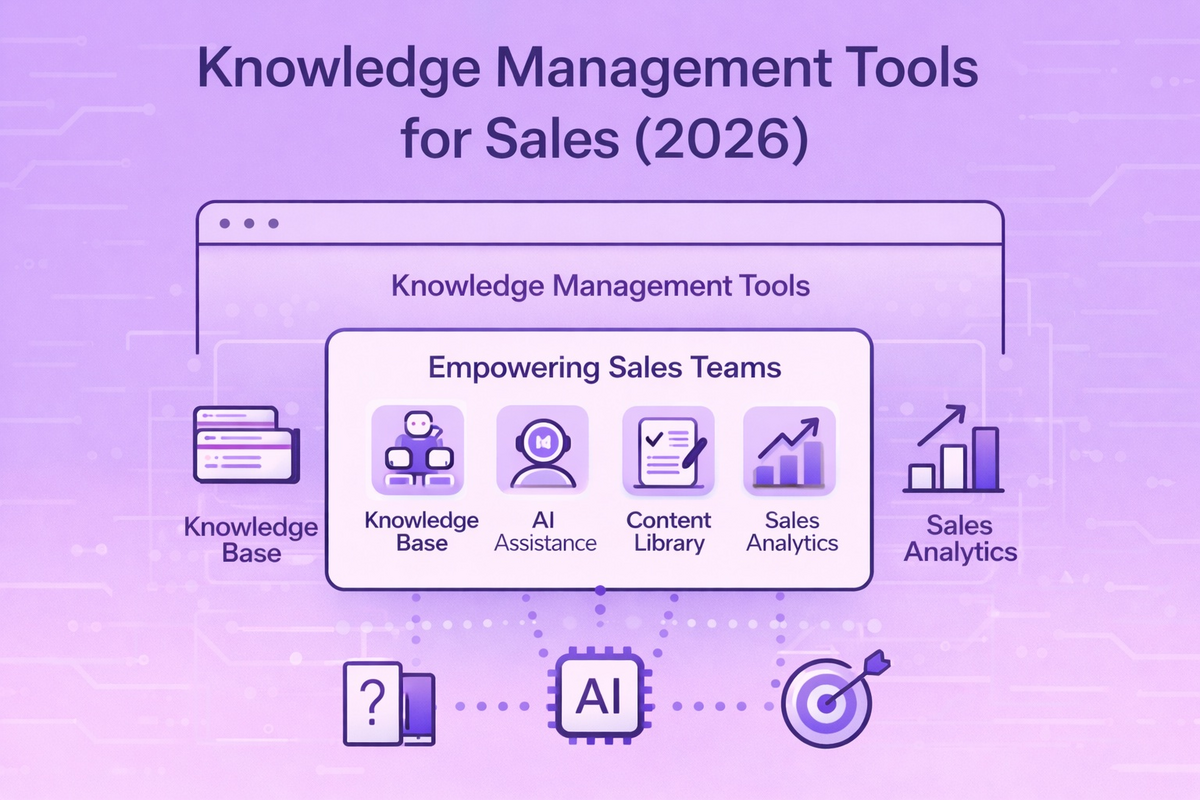

Your top sales rep can find any answer in seconds. She knows which case study will resonate with a healthcare prospect and has the perfect response for every security question. The problem? That knowledge lives entirely in her head. When she’s on vacation or, worse, leaves the company, that expertise walks out the door. This is where a strategy for knowledge management for sales becomes essential. It’s not just about creating a digital filing cabinet; it’s about building a collective brain for your entire team. This system captures the winning strategies of your best performers and makes that wisdom accessible to everyone, turning individual talent into a scalable asset.
Is Information Chaos Costing You Deals?
Sales teams waste up to 20 hours per week searching for information. Product specs are buried in old decks. Case studies live in someone's personal folder. Pricing details are scattered across emails.
When a prospect asks a question, reps scramble through multiple systems hoping to find the right answer. This information chaos kills deals. Slow responses signal disorganization. Inconsistent messaging confuses buyers. Outdated information damages credibility.
Sales teams need instant access to accurate, current knowledge. That's exactly what knowledge management tools provide.
What is a Sales Knowledge Management Tool?
Knowledge management tools for sales are specialized platforms. They centralize product information, competitive intelligence, case studies, proposals, and sales collateral in a searchable, accessible system. Unlike generic document storage, these tools understand sales workflows. They surface relevant information at exactly the moment reps need it.
Modern sales knowledge management goes beyond static repositories. AI-powered knowledge management systems actively organize content. They suggest relevant materials based on deal stage and buyer profile. Some even generate customized content by synthesizing information from multiple sources.
The impact on sales performance is substantial. Teams using dedicated knowledge management tools close deals 30% faster. They win 20% more opportunities. They reduce new rep ramp time by 40%. These aren't marginal improvements. They're transformational changes in how sales organizations operate.
Understanding the Types of Sales Knowledge
To build a system that works, you first need to understand what you're trying to manage. Sales knowledge isn't just a pile of documents; it comes in a few different flavors. Recognizing the type of information you're dealing with is the first step toward organizing it effectively. Most sales knowledge falls into three main categories: explicit, tacit, and implicit. Each one requires a slightly different approach to capture and share, and a solid knowledge management strategy accounts for all of them. When you know what you're working with, you can choose the right tools and processes to make that information useful for your entire team.
Explicit Knowledge
Think of explicit knowledge as anything you can easily write down and share. It’s the tangible, straightforward information that forms the backbone of your sales operations. This includes things like product specification sheets, official price lists, battle cards, approved marketing collateral, and the answers to frequently asked questions. This is the information that can be stored in a database or a manual. While it's the easiest type of knowledge to document, the challenge lies in keeping it organized, accessible, and, most importantly, up-to-date so your team isn't using last quarter's pricing on a major deal.
Tacit Knowledge
Tacit knowledge is the secret sauce. It’s the hard-to-explain wisdom that top sales reps build through years of experience. This is the intuition that tells you when a prospect is ready to buy, the skill of reading the room during a tense negotiation, or the gut feeling about which stakeholder holds the real power. Because it's based on personal experience and instinct, it’s not something you can just write down in a memo. Capturing this kind of knowledge often requires mentorship, storytelling, and creating a culture where seasoned reps are encouraged to share their insights with the rest of the team.
Implicit Knowledge
Implicit knowledge is the practical "how-to" that bridges the gap between knowing the facts and having the instinct. It’s the application of explicit knowledge in real-world scenarios. For example, your spec sheet (explicit knowledge) lists a product feature, but knowing *how* to demonstrate that feature to a skeptical CTO is implicit knowledge. It’s about understanding the process for navigating a complex procurement system or knowing the best way to frame a proposal for a client in the healthcare industry. This knowledge is often learned through practice, observation, and guided training sessions.
The Knowledge Management Cycle
Effective knowledge management isn't a one-and-done project; it's a continuous cycle that keeps your team's collective intelligence growing and evolving. Think of it as a living system that ensures your sales reps always have the best and most current information. The process generally follows a few key stages: creating and capturing knowledge, storing it in an accessible place, sharing it with the team, and regularly reviewing it to ensure accuracy. When this cycle is running smoothly, your team spends less time hunting for answers and more time building relationships and closing deals. It’s the engine that powers a high-performing sales organization.
The cycle begins with knowledge creation and capture. This happens every day—a rep discovers a new competitor talking point, a solutions engineer develops a brilliant demo script, or a proposal team crafts a winning response to a tricky RFP question. The crucial step is to capture this valuable information before it gets lost in an email thread or a personal folder. From there, the knowledge needs to be stored and organized in a central repository. Finally, it must be shared and updated. An AI-powered system that proactively flags outdated content, like an old case study or a retired product spec, is essential for maintaining trust and credibility with buyers. This ensures the cycle continues, with old information being refined and new insights being added constantly.
Why Your Sales Team Needs a Knowledge Management Solution
Sales teams face unique knowledge management challenges. Generic solutions don't address these effectively.
Keep Pace with Fast-Moving Information
Sales knowledge changes constantly. Products evolve, pricing adjusts, competitors launch new features, customers share new success stories, and marketing creates fresh collateral. Keeping track of what's current and what's outdated is a full-time job. Nobody has time for it.
Traditional shared drives can't keep pace. Files accumulate with version numbers in names like "ProductSheet_FINAL_v3_REVISED_ACTUAL_FINAL.pdf." Nobody knows which version is actually current. Reps use whatever they find first, often outdated materials that hurt rather than help.
Knowledge management tools solve this through centralized version control. They use automated content sunset dates. They send notifications when information changes. When a product feature updates, the system flags everywhere that old information appears. It ensures reps access current details.
Find the Right Answer for Every Conversation
A rep preparing for a healthcare prospect needs different information than one meeting with a fintech buyer. They need case studies from similar industries. They need compliance documentation relevant to their buyer's regulations. They need pricing optimized for their buyer's size and use case.
Generic search returns everything matching keywords. Sales-focused knowledge management tools understand context. They consider buyer industry, deal stage, company size, and use case. This contextual intelligence makes finding the right content 10x faster than broad keyword searches.
Integrate with the Tools Your Team Already Uses
Sales teams work in CRM systems, email, video conferencing platforms, and presentation tools. They don't have time to log into separate knowledge systems and manually search for information.
Knowledge management tools that integrate directly into sales workflows drive actual adoption. They surface relevant content inside Salesforce. They suggest slides during presentation building. They recommend answers during live calls.
The best tools feel invisible because they work within existing processes rather than creating new ones. Effective sales enablement platforms integrate knowledge management directly into the tools reps already use daily.
Prevent "Knowledge Leaks" When Team Members Leave
When a top-performing sales rep leaves, they often take years of valuable knowledge with them—the unwritten rules, the key client relationships, and the specific strategies that closed major deals. This creates a huge gap that can take months, or even years, to fill. As OpenView Partners notes, "Sales knowledge can leak out when employees leave, when there aren't good tools to capture and share it." A centralized knowledge management system acts as your team's collective brain. It captures best practices, successful proposal language, and critical deal information, ensuring that this expertise remains with the company, not just the individual. This makes your team more resilient and dramatically shortens the onboarding time for new hires.
Standardize Your Sales Process and Create Playbooks
Consistency is key to a scalable sales engine. When every rep follows a different process, it's impossible to identify what’s working, replicate success, or forecast accurately. A knowledge management platform provides the foundation for a unified approach. It’s where you can build and store your sales playbooks, battle cards, and email templates. According to Helpjuice, "Teams with clear, standard ways of selling do much better than those without." By centralizing these resources, you ensure every team member is using the most effective, up-to-date strategies and messaging. This standardization empowers reps to handle common objections and navigate deals with confidence, leading to more predictable and successful outcomes across the board.
Build Stronger, Long-Term Customer Relationships
Nothing damages trust faster than a sales rep who seems unprepared or provides inconsistent information. Building strong customer relationships depends on being a reliable, knowledgeable resource. A sales knowledge management system equips your team to do just that. When reps can instantly pull up a customer's history, find the perfect case study, or confirm a technical detail, they create a seamless and professional buyer experience. As Helpjuice explains, when reps "give customers the right information at the right time... This makes customers feel valued and helps them decide to buy." This is especially critical when responding to detailed requests like RFPs or security questionnaires, where accuracy and speed directly impact the deal's success.
Foster Innovation and Inform Business Strategy
A knowledge management system is more than just a repository for sales content; it's a source of strategic insight. When your sales team has a central place to share feedback from the field—what competitors are saying, which features customers are requesting, and what pain points come up most often—you create a powerful feedback loop. This collective intelligence is gold for other departments. As noted by eGain, "Looking at sales data gives important ideas for things like making new products or marketing." By analyzing this shared knowledge, your product teams can build a better roadmap and marketing can refine its messaging, ensuring your entire organization is aligned with what the market truly wants.
What Makes a Great Sales Knowledge Management Tool?
Not all knowledge management tools serve sales teams equally well. Look for these critical capabilities.
Organize Content So It's Easy to Find
Effective organization goes beyond folder structures. Modern tools automatically tag content by product, customer segment, use case, sales stage, content type, and competitive positioning. This multi-dimensional organization enables finding information through multiple paths. You can search by product name, competitor, industry, or use case.
AI-powered auto-tagging eliminates manual organization work. The system reads documents. It understands their content. It applies appropriate tags automatically. When someone uploads a case study, it's automatically categorized by customer industry, products used, and business outcomes achieved. No manual classification needed.
Find Exactly What You Need, Instantly
Search quality makes or breaks knowledge management adoption. Sales reps won't use systems that require five searches to find what they need. Natural language search dramatically improves findability. Instead of guessing keywords, reps can search "healthcare case study with ROI data" and get exactly what they need.
Semantic search understands concepts and relationships. Searching for "competitor comparison" returns competitive intelligence documents. This is true even if they don't contain that exact phrase. The system recognizes battlecards, competitive analyses, and win-loss reports all relate to competitive intelligence.
Personalized search results improve over time as the system learns what information specific reps typically need. If a rep primarily works healthcare deals, their search results automatically prioritize healthcare-relevant content.
Easily Create and Customize Sales Content
Beyond storing existing content, modern knowledge management tools help create new materials. This might include generating customized one-pagers for specific prospects. It might mean building pitch decks by combining relevant slides from master presentations. Some create proposals that synthesize information from multiple sources.
AI-powered content generation accelerates this dramatically. Instead of manually assembling materials, reps describe what they need. They say "case study slide for fintech prospect focused on security compliance." The system generates it by pulling relevant information and formatting it professionally.
Measure What Content Actually Closes Deals
Which collateral actually helps close deals? What content gets used most? Where are knowledge gaps causing problems? Analytics answer these questions. They enable data-driven content strategy.
Usage analytics show which materials reps access frequently. They show which materials they share with prospects. They show which materials correlate with won deals. This intelligence helps marketing prioritize content creation where it drives revenue impact. Gaps analytics identify where reps frequently search for information that doesn't exist. They highlight documentation needs.
Key Frameworks for Your Knowledge Management Strategy
Implementing a new tool is only half the battle. To truly transform how your sales team uses information, you need a strategy. A solid framework provides structure, ensuring your efforts are organized and aligned with your business goals. It's the difference between having a messy digital filing cabinet and a dynamic engine for revenue growth. These established models offer a clear roadmap for building a system that your team will actually use and that delivers measurable results. Think of them as the architectural blueprints for constructing a successful knowledge management practice from the ground up, ensuring every piece fits together perfectly.
The 4 Pillars: People, Platforms, Processes, and Culture
An effective knowledge management strategy is built on four essential pillars. First are the People—your sales reps, managers, and enablement staff who create and consume information daily. Next is the Platform, the technology that houses your knowledge, like an AI-powered response tool. The third pillar is Processes, which are the defined workflows for how information is captured, reviewed, updated, and archived. Finally, and most importantly, is Culture. A culture of knowledge sharing, where top performers are encouraged to document their winning strategies and everyone collaborates openly, is the foundation that supports everything else. Without all four pillars, the entire structure becomes unstable.
The 5 P's: Purpose, People, Process, Platform, and Performance
This framework expands on the four pillars by adding two critical components: Purpose and Performance. It starts by asking you to define your Purpose: what specific business objective are you trying to achieve? Is it to shorten the sales cycle, improve the quality of RFP responses, or onboard new reps faster? Once your purpose is clear, you can align the People, Process, and Platform to meet that goal. The final P, Performance, closes the loop by focusing on measurement. This involves tracking key metrics to understand if your strategy is working and how it impacts sales outcomes, ensuring your knowledge management efforts are directly tied to revenue.
The 4 C's: Capture, Curate, Connect, and Collaborate
If the other frameworks are the blueprint, the 4 C's are the action plan. This model focuses on the lifecycle of knowledge within your sales organization. First, you must Capture information from various sources—not just official marketing collateral, but also the valuable tacit knowledge hidden in top reps’ emails and call notes. Next, you Curate this content, which means organizing, tagging, and verifying it for accuracy and relevance. Then, you Connect your sales team to this curated information right within their workflow. Finally, you foster a space to Collaborate, allowing team members to comment on, refine, and build upon the collective knowledge, creating a system that continuously improves over time.
Exploring Different Types of Sales Knowledge Tools
Sales knowledge management spans several platform categories. Each serves different needs.
Comprehensive Sales Enablement Platforms
Full-featured sales enablement platforms like Seismic, Highspot, and Showpad combine knowledge management with content distribution, training, and analytics. These comprehensive solutions work well for large sales organizations. They address enterprise-scale capabilities across multiple sales functions.
Strengths include robust content management, CRM integration, training capabilities, and comprehensive analytics. Challenges include complexity, higher cost, and longer setup timelines. These tools work best for established sales teams with dedicated enablement staff.
Faster Proposals with Automation Platforms
For sales teams that respond to frequent RFPs, proposals, security questionnaires, and due diligence requests, specialized proposal automation platforms provide focused knowledge management. They excel at response generation. Iris AI centralizes proposal knowledge and uses AI to generate responses 70% faster.
These platforms excel at organizing reusable response content. They maintain consistent messaging across responses. They accelerate document completion. They typically integrate with CRM systems and provide workflow management for multi-person response teams.
Dedicated Knowledge Base Platforms
Platforms like Guru, Notion, and Confluence serve as company-wide knowledge bases that sales teams can leverage. They provide flexible organization, wiki-style content creation, and broad accessibility across departments.
Strengths include ease of use, flexible structure, and cross-functional utility. Sales-specific features may be limited compared to dedicated sales tools. These work best for organizations wanting one knowledge platform across all departments rather than sales-specific tools.
Smarter Answers with AI Knowledge Systems
Emerging platforms use advanced AI to understand and generate knowledge rather than just organizing it. These systems can answer questions by synthesizing information from multiple sources. They generate custom content on demand. They learn continuously from usage patterns.
AI knowledge management platforms represent the future of sales knowledge tools. Capabilities vary widely between vendors. Evaluate AI quality carefully. Some "AI-powered" platforms just add chatbots to traditional search.
External Knowledge Bases for Customer Self-Service
Your sales team's knowledge isn't just for internal use. Creating an external, customer-facing knowledge base can be a powerful sales tool. When potential buyers can easily find answers to their basic questions about your product, features, and pricing, it streamlines the entire sales process. They come to the first sales call already educated and prepared with specific, high-level questions. This allows your reps to skip the introductory details and dive straight into a meaningful conversation about the prospect's unique needs and challenges, ultimately shortening the sales cycle.
This self-service approach does more than just save your reps time. It qualifies leads before they even reach your team. A prospect who has invested time in your knowledge base is demonstrating a high level of interest and is likely a better fit for your solution. By empowering customers to find their own answers, you create a more efficient path from initial curiosity to a productive sales conversation, letting your team focus on what they do best: closing deals with well-informed buyers.
Beyond the Tool: Creating a Culture of Knowledge Sharing
A powerful knowledge management tool is a great start, but it's only half the equation. The real transformation happens when you build a culture where sharing information is second nature. Without this cultural shift, even the most advanced platform will just sit there, underutilized. It starts with a commitment from everyone, from the newest sales development rep to the Chief Revenue Officer, to contribute what they know. Every question asked, every objection handled, and every customer success story is a piece of valuable knowledge that can help someone else on the team win their next deal.
To make this happen, you have to make sharing easy and expected. Define clear guidelines: who should share information, when they should share it (ideally, right after a call while it's fresh), and where it should be stored so it's easy for others to find. This removes the guesswork and turns knowledge contribution into a simple, repeatable habit. Most importantly, leadership must lead by example. When managers and executives actively use the system, contribute their own insights, and recognize others for doing the same, it sends a clear message that knowledge sharing is a core value of the organization, not just another task on a checklist.
Encourage Peer-to-Peer Learning
Let's be honest: salespeople often learn best from their peers. They trust the insights of a teammate who just navigated a tough negotiation more than a generic training module. A strong knowledge management culture taps directly into this dynamic. It creates a space where reps can share their wins, their losses, and the clever tactics they used to overcome a specific objection. This collective wisdom is often your company's most valuable and practical sales asset, but it's useless if it only exists in one person's head or a forgotten Slack channel.
Your knowledge management system should be the central hub for this peer-to-peer exchange. When a rep discovers a new competitor talking point that resonates with prospects, they should have a clear and simple way to add it to the system. When someone creates a great email template for re-engaging a cold lead, it should be instantly accessible to the whole team. By making this shared knowledge easy to find and use, you foster an environment of continuous improvement where every team member benefits from the experience of their colleagues.
Provide Incentives and Recognition
Building a new habit requires motivation. To encourage active participation in your knowledge management system, you need to show your team what's in it for them. This can start with simple incentives and rewards. Consider offering a monthly prize for the top contributor or giving public shout-outs in team meetings to reps who share valuable insights. This recognition validates their effort and encourages others to step up. It signals that contributing to the collective knowledge base is a valued and important part of the job.
Beyond prizes, the most powerful motivator for any salesperson is success. Use analytics to connect system usage with performance. Show your reps the data: team members who consistently use and contribute to the knowledge base have shorter sales cycles and higher win rates. When they see a direct line between participating in the system and closing more deals, using the tool becomes a no-brainer. This data-driven approach transforms knowledge management from a "nice-to-have" administrative task into an essential part of their personal sales strategy.
Your 4-Step Plan for a Successful Rollout
Technology alone doesn't solve knowledge challenges. Your setup approach determines outcomes.
Step 1: Audit Your Current Content
Before selecting tools, audit existing knowledge. What content exists? Where does it live? What's actually valuable versus outdated clutter? What critical information is missing?
This audit reveals requirements. If 80% of your valuable content is PowerPoint, you need strong presentation support. If reps constantly need customized one-pagers, content generation capabilities are critical. If case studies drive deals, robust customer success story management is essential.
Don't migrate everything from existing systems. Use setup as an opportunity to curate quality content. Eliminate outdated materials. Starting clean beats inheriting 10 years of document chaos.
Step 2: Design a System Your Team Will Actually Use
The most powerful knowledge management tool fails if reps don't use it. Adoption requires integration with existing workflows, minimal training requirements, and obvious immediate value.
Champion adoption through leaders. Have top reps show how they use the tool to close deals faster. Share success metrics. "Team X reduced proposal time from 40 to 12 hours." Make the business case tangible and visible.
Step 3: Create a Plan to Keep Content Current
Designate clear ownership for content domains:
- Product marketing owns product collateral
- Customer success manages case studies
- Sales ops maintains competitive intelligence
Without clear ownership, content quality degrades. Create content review cycles. Marketing materials should be reviewed quarterly. Competitive intelligence needs monthly updates. Product specs sync with each release. Automate reminders so owners know when reviews are due.
Set up approval workflows for sensitive content. Legal should review compliance claims. Leadership should approve messaging for enterprise accounts. Don't make every update require five approvals. Balance control with agility.
Record Training Sessions for On-Demand Learning
Your team’s training sessions are packed with valuable information, from product updates to new sales methodologies. But what happens after the meeting ends? That knowledge often disappears. By recording these sessions and adding them to your knowledge base, you turn a one-time event into a lasting asset. New hires can get up to speed by watching your top performer walk through a complex deal negotiation, and veteran reps can revisit key concepts whenever they need a refresher. This creates a living library of your team's expertise. Making these recordings available helps team members retain information more effectively, turning passive learning into an active resource. When these videos are organized and tagged within your knowledge management system, they become easily searchable, ensuring this crucial tribal knowledge doesn't get lost in a sea of forgotten Zoom links.
Step 4: Measure Your Impact and Keep Improving
Track metrics that matter: search-to-find time, content usage rates, proposal completion speed, win rates, and new rep ramp time. Correlate these with knowledge management tool adoption to show ROI.
Survey reps regularly about knowledge gaps. Where do they struggle to find information? What questions do prospects ask that they can't answer confidently? Use this feedback to prioritize content creation.
Monitor which content drives deals. Materials correlated with closed-won opportunities deserve investment. Content that nobody uses should be retired. Let data guide content strategy.
Frequently Asked Questions
What's the difference between a CRM and a knowledge management tool?
CRM systems manage customer relationships, deals, and sales activities. Knowledge management tools organize and deliver the content and information sales teams need to execute those activities. They're complementary. CRM tracks what you're selling to whom. Knowledge management provides the materials to sell it effectively. Most knowledge management tools integrate with CRM platforms. They surface relevant content based on deal characteristics.
How much do sales knowledge management tools cost?
Pricing varies widely based on capabilities and organization size. Basic knowledge base platforms start around $10-15 per user monthly. Mid-tier sales enablement platforms range from $50-100 per user monthly. Enterprise solutions with advanced AI and comprehensive features can exceed $150 per user monthly. Calculate ROI based on time saved and deals accelerated rather than focusing only on licensing costs.
How long does it take to implement a knowledge management tool?
Setup timelines depend on content volume and complexity. Basic setups with limited content can be operational in 2-3 weeks. Comprehensive setups with extensive content migration, integrations, and training typically take 8-12 weeks. Proposal automation platforms focused on specific use cases often set up faster than general-purpose enablement platforms.
Can these tools integrate with our current tech stack?
Modern platforms offer extensive integration capabilities with CRM systems (Salesforce, HubSpot), collaboration tools (Slack, Teams), presentation software (PowerPoint, Google Slides), and content creation tools. Verify integration quality with your specific tools during evaluation. APIs enable custom integrations for specialized systems not covered by pre-built connectors.
What if our sales team resists adopting a new tool?
Resistance typically stems from unclear value, complex interfaces, or lack of time for training. Address this through champion programs where successful early adopters show value to peers. Integrate the tool into existing workflows so it enhances rather than disrupts current processes. Quick wins show immediate benefit. Focus training on how the tool solves specific pain points reps experience daily.
How do we measure the ROI of a knowledge management tool?
Track time saved on information search and content creation. Measure proposal and response completion speed. Track win rates compared to pre-setup baselines. Monitor new rep ramp time from hire to quota attainment. Measure sales cycle length from first contact to close. Quantify time savings by hourly cost and compare to tool costs. Most organizations see positive ROI within 6-12 months.
Turn Your Team's Knowledge into Your Biggest Asset
Sales teams that master knowledge management consistently outperform those that don't. The difference isn't product knowledge or sales skills. It's the ability to access and apply institutional knowledge faster than competitors. Modern knowledge management tools give sales teams this advantage.
Organizations investing in sales knowledge management see measurable improvements in productivity, win rates, and time-to-value for new reps. The technology has evolved beyond document storage to active intelligence. It anticipates needs and generates customized content.
Iris combines AI-powered knowledge management with proposal automation to help sales teams respond to RFPs and questionnaires 70% faster. Consistency and accuracy are maintained. See how transforming scattered sales knowledge into a strategic asset accelerates revenue.
Key Takeaways
- Stop losing deals to information chaos: Centralizing your sales knowledge creates a single source of truth, giving your entire team instant access to the winning strategies, answers, and content they need to close deals faster.
- Pair the right tool with a strong culture: A platform is only effective if people use it. Success requires clear processes for keeping information current and a team culture that actively encourages and rewards sharing expertise.
- Follow a strategic rollout plan: To ensure adoption, start by auditing your existing content. Then, integrate the tool into your team's daily workflow, assign clear ownership for updates, and measure its impact on key sales metrics.
Related Articles
Share this post
Link copied!









_EasiestToDoBusinessWith_EaseOfDoingBusinessWith.svg)
_HighPerformer_HighPerformer.svg)





_BestSupport_QualityOfSupport.svg)


